A UPS Invoice Audit Worksheet for Residential and Delivery Area Charges
Review residential and delivery area charges on separate rows, then decide whether to accept or dispute each one. Keep unsupported amounts unresolved.
What should you check on a UPS invoice for residential and delivery area charges?
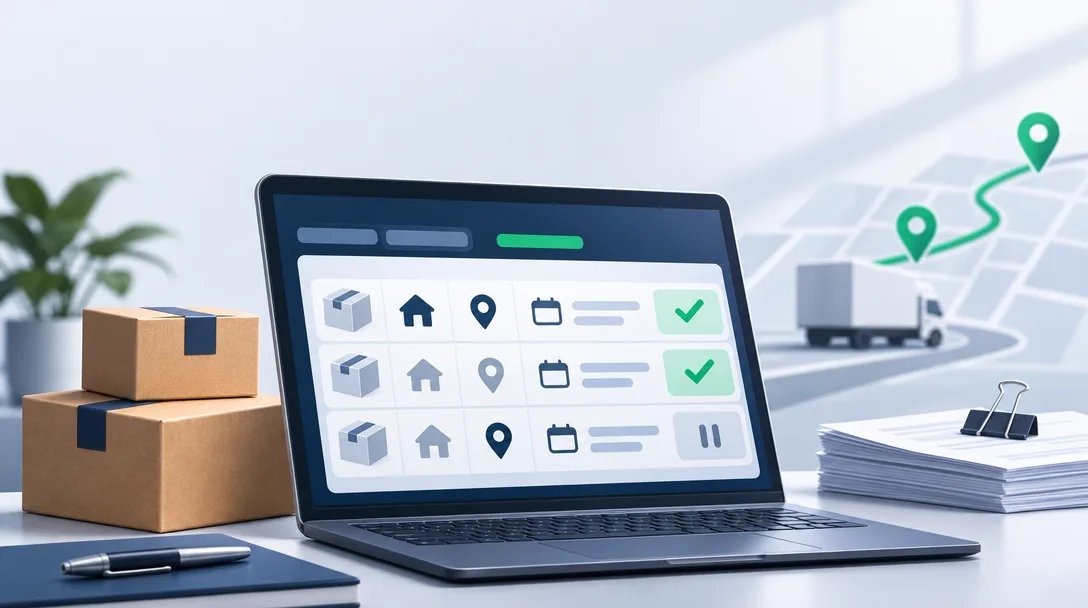
A UPS invoice audit worksheet for residential and delivery area charges uses one row per charge, tied to the tracking number, the UPS rule in force on the ship date, destination evidence, and your account terms. Each row ends in one decision: accept, dispute, or unresolved. Unsupported expected charges stay unresolved, not treated as refunds.
Residential and delivery area charges get separate rows because they rest on different evidence. For each row, record the effective date of the UPS tariff, rate guide, or destination list you rely on, and confirm the adjustment deadline in the UPS terms that apply to that shipment. The decision tests below are proposed worksheet review steps, not verified UPS evidentiary standards.
Which records do you collect before reviewing the charges?
Collect four record sets before you review a single charge: the UPS billing file, your shipment export, the agreement and rate schedule in force on each ship date, and your dispute and credit log. The audit compares the first two against the third. A missing file leaves the affected rows unresolved.
- UPS billing file. Pull package-level data in whichever electronic format your UPS account offers, not just the PDF. You need tracking number, service, destination, and each charge line.
- Your shipment export. Pull it for the same period: ship date, address as entered, address type in your system, weight, and the account number used.
- Agreement and rate schedule. Gather the executed agreement, amendments, account numbers, and effective dates. You need the version in force on each ship date, not the latest one.
- Dispute and credit log. List earlier disputes, adjustments, and credits so you don't claim an item twice.
Keep the original files unchanged and work on a copy. Reconcile the copy's total to the invoice before you investigate individual rows.
UPS's reading-your-invoice guide is useful for layout only. That version is a Belgian invoice dated 18 April 2023. It shows that shipment detail carries tracking number, weight, zone, service, destination, charges, and corrections, but it doesn't establish current US surcharge rules. UPS's flat-file technical document is dated 02/16/05, so it can't tell you current US export field names either. Map your columns from your own export.
The worksheet: one row per charge, one decision each
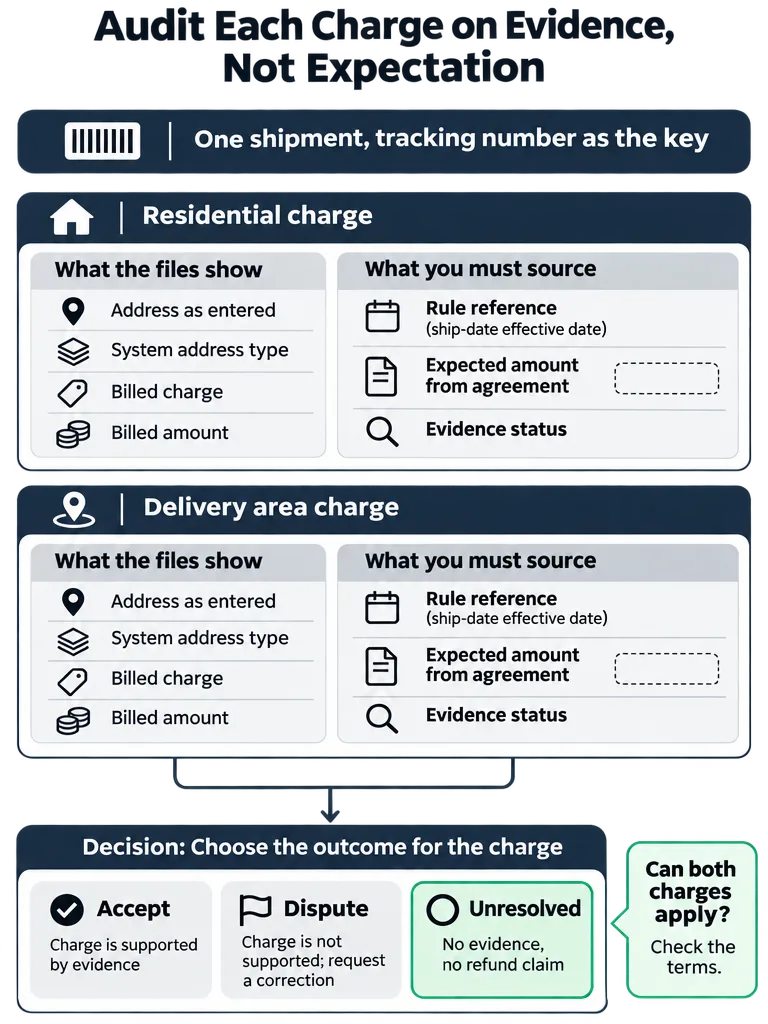
Every residential charge and every delivery area charge gets its own row, even on the same tracking number. Block 1 holds facts copied from your files. In Block 2, the rule and expected-amount fields stay blank until you source them from UPS and your agreement. The review status starts as unresolved. The worksheet carries no rates by design.
Block 1: what the files show
| Field | Source | If missing |
|---|---|---|
| Row ID | You assign it | One per charge, not per shipment |
| Account number, invoice number, invoice receipt date | Billing file | Deadline can't be verified; row stays unresolved |
| Tracking number | UPS billing file | Row can't be audited |
| Ship date | Your shipment export | Rule version can't be chosen |
| Service | Billing file, checked against your export | Flag any mismatch |
| Address and ZIP Code as entered and as billed | Your export and billing file | Note that destination evidence is missing |
| Delivered address and ZIP Code, including any correction | Billing file and delivery record | Note the gap; don't assume it matches |
| System address type | Your shipping or warehouse system | Mark "not recorded" |
| Billed charge description | Billing file, original wording | Never retype it |
| Billed amount | Billing file | Reconcile to the invoice total |
Block 2: what you must source or decide
| Field | Source | Blank rule |
|---|---|---|
| UPS rule reference and effective date | Official UPS terms for the ship date | Leave blank until pulled |
| Delivery area list reference, edition, and service or category | Official UPS list for the ship date | Delivery area rows only; blank until pulled |
| Agreement clause and effective dates | Your signed agreement | Blank if none applies |
| Expected amount | Agreement or rate guide | Leave blank if unsupported; never estimate |
| Billed minus supported amount | Your calculation | Blank until expected amount is filled |
| Evidence file references | Your records | List the file names, not just a status |
| Evidence status | Your review | Held, partial, or none |
| Decision | Your review | Accept, dispute, or unresolved; start each row as unresolved |
A row moves to dispute only when the sourced rule and agreement terms support an expected amount that differs from the billed amount, and your evidence files back that difference. A rule, an expected amount, and evidence on file are not enough by themselves. If the rule, pricing, or evidence is missing, the decision stays unresolved.
Linked dispute log
| Field | What to record |
|---|---|
| Row ID | Matches the worksheet row |
| Invoice receipt date and verified filing deadline | Deadline taken from the UPS terms for that shipment |
| Submission reference, date, and owner | Who filed it and when |
| Requested, approved, and credited amounts | Three separate numbers |
| Credit invoice and date | Fill only when the credit actually posts |
Here's one shipment once you split it:
| Tracking number | Charge reviewed | Rule reference | Expected amount | Billed minus supported | Evidence status | Decision |
|---|---|---|---|---|---|---|
| (from file) | Residential | blank until pulled | blank | blank | partial | Unresolved |
| (from file) | Delivery area | blank until pulled | blank | blank | none | Unresolved |
For the wider set of lines to scan beyond these two, see the guide to accessorial fees that quietly inflate parcel bills.
How does UPS decide an address is residential?
To show a residential charge is wrong, you need the UPS definition in force on the ship date, the address type recorded for that tracking number, and facts about the delivery location. The supplied sources include no current US UPS definition. Confirm the US wording in the UPS Tariff or rate guide for your ship date.
The only UPS wording supplied is the Belgian invoice guide. It defines a residential address as a location that is a home, including a business operating out of a home, with no entrance open to the public. Because that definition turns on the location, not the company name, a home-based business or mixed-use property can be billed as residential even when your order system says "commercial." An unexpected fee isn't automatically an incorrect one.
Whether the charge applies, and in what amount, can also depend on the service, the shipping direction, the rate guide, and your account agreement. Check those on each row.
Evidence that supports a classification dispute
- The address type recorded for that tracking number at label time.
- The applicable UPS definition, applied to that specific location.
- Location facts that don't fit the definition, such as an entrance open to the public.
- A delivered address that matches the billed address, with any corrections accounted for.
Evidence that only suggests one
- A company name on the label.
- A "commercial" flag in your order system with no record of how it was set.
- The billing line by itself.
An agreement waiver or reduction is a separate check. It speaks to whether the charge applies or what it should cost, not to how the address is classified. Record it in the agreement clause and expected-amount fields, not in the classification evidence.
The residential vs commercial surcharges guide goes deeper on auditing address type separately from the delivery area charge.
How do you check a delivery area charge, and can it stack?
For each delivery area row, check four things: the delivered destination, the official UPS destination list and its effective date for the ship date, your account pricing, and the UPS rule on whether delivery area and residential charges can apply to the same shipment. The supplied sources confirm none of the list, the pricing, or the stacking rule.
That means these cells stay open until you pull the UPS documents yourself. This article won't supply ZIP Codes, categories, or amounts it can't source.
Unverified items and the records needed to resolve them:
| Worksheet item | Status here | What closes it |
|---|---|---|
| Destination is on the delivery area list | Unconfirmed | The official UPS list for the ship date, with its edition or effective date recorded |
| Both charges may apply to one shipment | Unconfirmed | The UPS terms or rate guide in force on the ship date, quoted in the rule column |
| Expected delivery area amount | Unknown | Your agreement or the rate guide for that date |
| Concession on delivery area charges | Unknown | The signed agreement language and its effective dates |
Don't mark a shipment carrying both charges as an error or as correct until the applicable UPS terms for that ship date are in your rule column. Leave it unresolved.
Third-party material also asserts future UPS charge changes. The supplied sources include no UPS primary document confirming them, so don't use them to set expected amounts. Review each shipment under the rule in force on its ship date. The 2026 UPS and FedEx surcharge list covers invoice-level lines worth checking.
What evidence can change the decision before you dispute?
Evidence moves a row from unresolved to dispute only when it documents a difference between the billed charge and the amount the applicable terms support. Three situations show the proposed tests. None is priced, because amounts must come from your own agreement and rate guide.
1. Your system says commercial, UPS billed residential. The system flag alone leaves the row unresolved. It moves to dispute when you can document four things together: a record of the address type tied to that tracking number, the UPS definition for the ship date, location facts that don't fit that definition, and a billed amount that differs from what your service terms and any agreement concession support. If the location facts fit the definition, the classification check no longer supports a dispute. Even then, close the row as accept only after service applicability, agreement concessions, and the billed amount also check out.
2. The destination isn't on the delivery area list. Pull the complete destination list that applies to that service and shipment for the ship date. If the delivered ZIP Code is absent from it, the delivered and billed destinations match, and your agreement or rate guide gives an expected amount below the billed amount, the row moves to dispute. If the list is missing or partial, or the ZIP Code was corrected after labeling, it stays unresolved.
3. Your agreement names a surcharge concession. A valid concession alone doesn't justify a dispute. The row moves to dispute when the clause was in force on the ship date and covers that account, service, and charge. You must also be able to show from the clause text that the concession was missed or miscalculated, so the billed amount differs from the calculated one. If the schedule is missing, the expected amount stays blank and the decision stays unresolved.
How do you file the adjustment and confirm the credit arrived?
File each supported row by the route, and inside the deadline, that the UPS terms effective for the shipment specify. The supplied sources include no current official US UPS document confirming the adjustment deadline, the Billing Center steps, or attachment requirements. Verify them on ups.com and in the applicable UPS Tariff first. Don't substitute the service-guarantee refund window, which is a different process.
- Verify the deadline and route. Read the adjustment section of the UPS terms in force for the shipment. Record the invoice receipt date and the verified deadline in your dispute log. Billing adjustments, late-delivery refunds, and loss or damage claims follow different procedures.
- Prepare the submission from the worksheet. Include the tracking number, ship date, billed amount, expected amount, reason, and references to your evidence files. The UPS Billing Center is the likely starting point, but confirm the current instructions before you file.
- Check the filing rules. Confirm in the terms whether short-paying an invoice affects a dispute, and how UPS treats requests that cover many packages. File only rows with documented support.
- Log the submission. Record the date, reference, requested amount, and owner for follow-up.
- Reconcile the credit. Track four statuses separately: flagged, submitted, approved, and credited. Match the approved amount to the credit on a later invoice, and record the credit invoice and date when it posts.
- Close the row in your dispute log only when the credit appears, so it can't be filed twice.
Kadima Logistics offers a free audit that reads real invoice data and returns a written savings analysis, which can help if building these files yourself isn't practical. For when outside help beats switching carriers, see when a third-party audit beats switching carriers.
Frequently asked questions
Where can I find my UPS invoice data for an audit?
UPS's 2026 Rate and Service Guide, as summarized by a third-party audit checklist, lists three electronic options: UPS Billing Data (CSV, XML, or EDI 210 files), UPS Billing Center reports, and a PDF invoice with up to 52 weeks available. For an audit, use the package-level billing file rather than the PDF. You need the tracking number, service, destination, and each charge line.
Is a UPS residential surcharge always a billing mistake?
No. An unexpected residential charge is not automatically an incorrect one. UPS can bill a home-based business or mixed-use property as residential even when your order system says commercial. Whether the charge applies also depends on the service, shipping direction, rate guide, and your account agreement. Check each of those against the ship date before you dispute.
Does a "commercial" flag in my shipping system prove a residential charge is wrong?
No. A commercial flag, a company name on the label, or the billing line alone only suggests an error. A dispute needs the address type recorded for that tracking number, the UPS definition in force on the ship date, and location facts that don't fit it, such as an entrance open to the public. Without those, the row stays unresolved.
What is the difference between a residential surcharge and an address correction fee?
A residential surcharge concerns the type of delivery address, while an address correction fee concerns fixing or completing an address. They are separate charges and are not interchangeable. Review them on separate worksheet rows with separate evidence, because proof that an address was classified wrongly says nothing about whether a correction was needed.
How long do I have to dispute a UPS invoice charge?
One 2026 UPS invoice checklist, citing UPS Tariff Section 53.1 effective April 17, 2026, says you have 180 days from receiving an invoice to request an adjustment. The request must be in writing, with the shipment date, tracking number, and reason for each disputed charge. Confirm the deadline in the UPS terms that apply to your shipment, and log each invoice's receipt date.
Can UPS charge both a residential and a delivery area surcharge on the same package?
It depends on the UPS terms or rate guide in force on the ship date, so check there before calling a double charge an error. Quote the rule in your worksheet's rule column, along with the effective date of the destination list. Until that rule is documented, leave a shipment carrying both charges marked unresolved, not wrong or correct.
Sources
- Technical Documentationups.com
Keep reading

One short note, every other Tuesday. Nothing else.
The patterns we're seeing across thousands of carrier invoices, written up tight. Unsubscribe with one click.